
Get started
Ready… Weida.
Your first ten minutes, one small step at a time.
Five short steps, taken from the app’s own setup. Scroll, and the phone follows along: it shows where to tap, and why.


Step 1 of 5
You
A promise first: your plan is calculated on your iPhone, and nothing leaves it until you switch on a connection.
Open Weida and tap Get started. If you already have a backup, you can restore it right here.
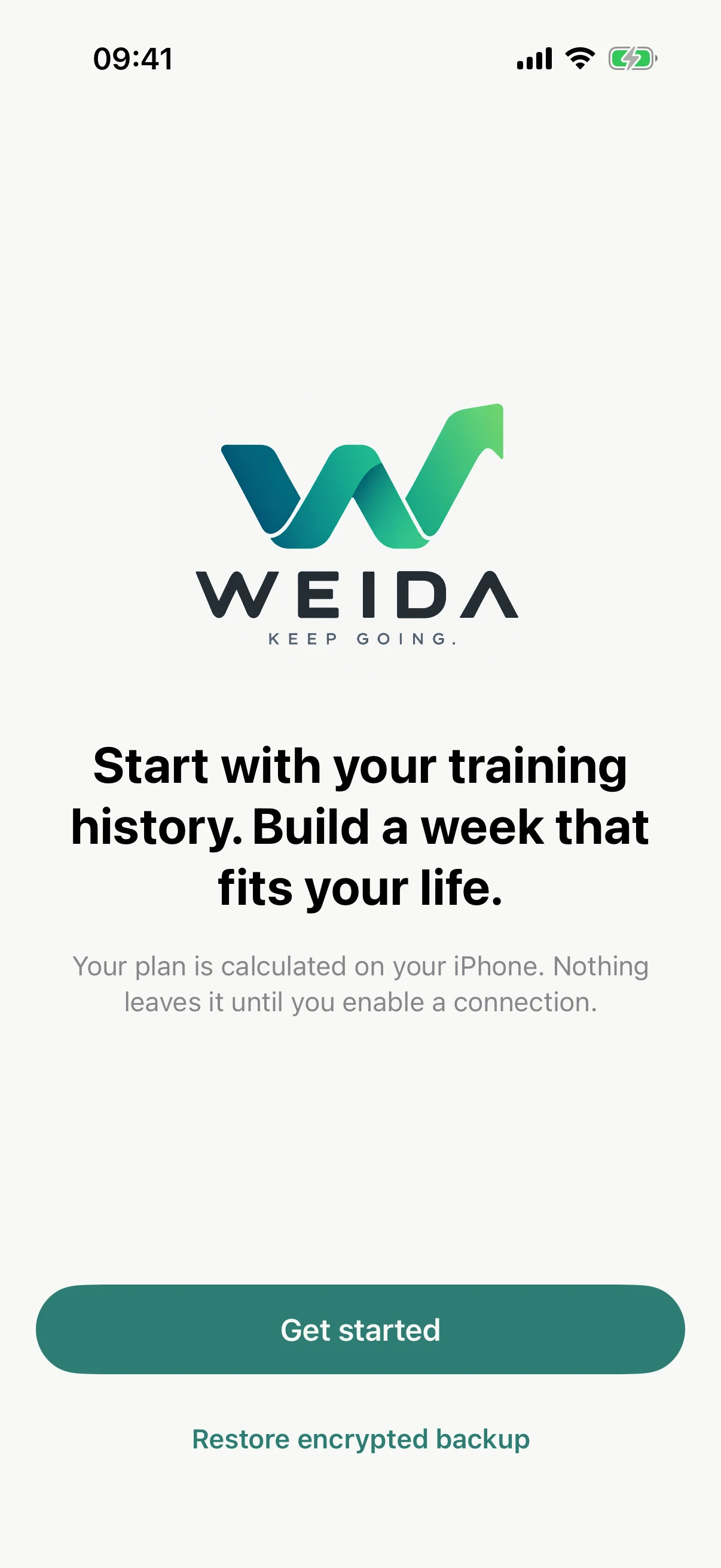
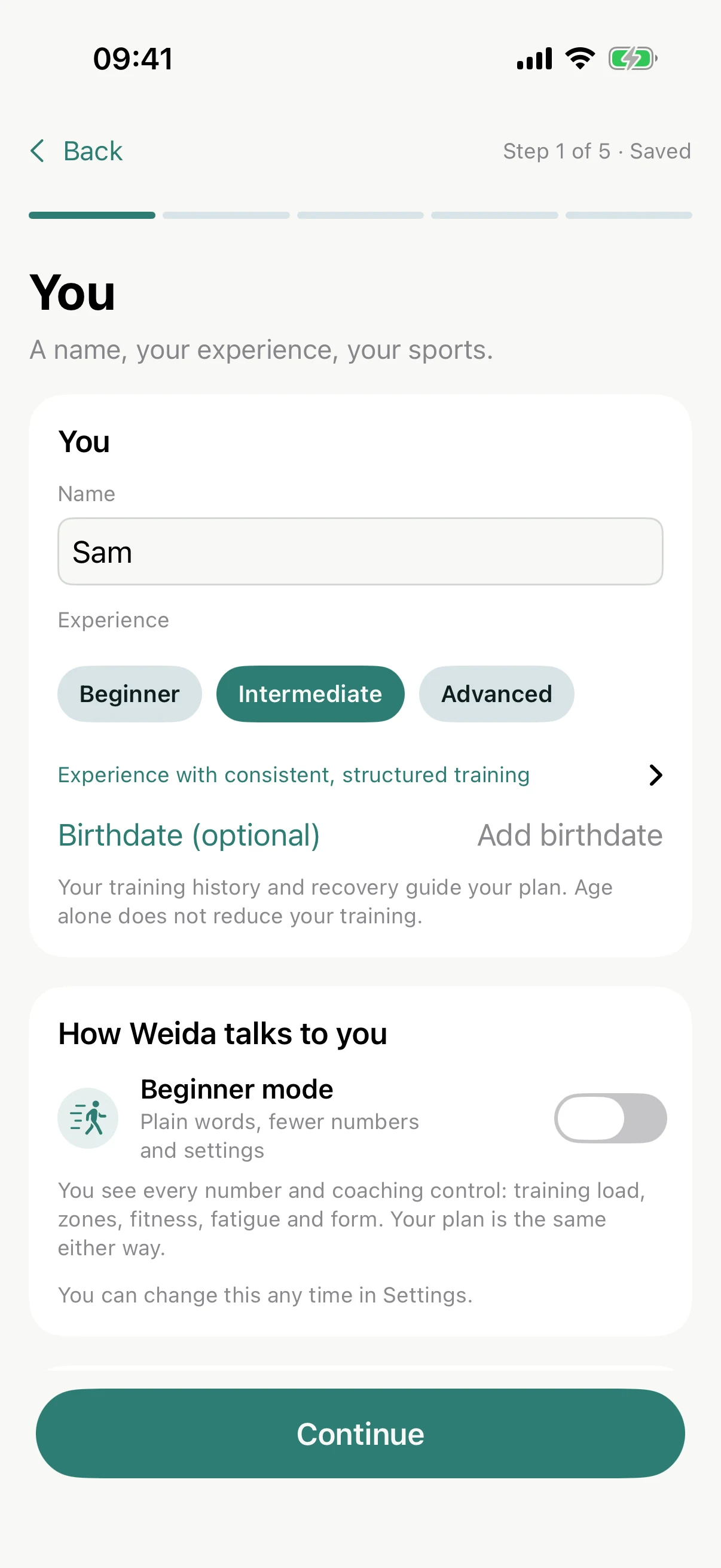
Add your name and how experienced you are. New to this? Switch on Beginner mode: plain words instead of jargon, your plan stays the same.
Pick your sports, road or trails for running, and how much strength you fancy: none, maintain, develop or focus.
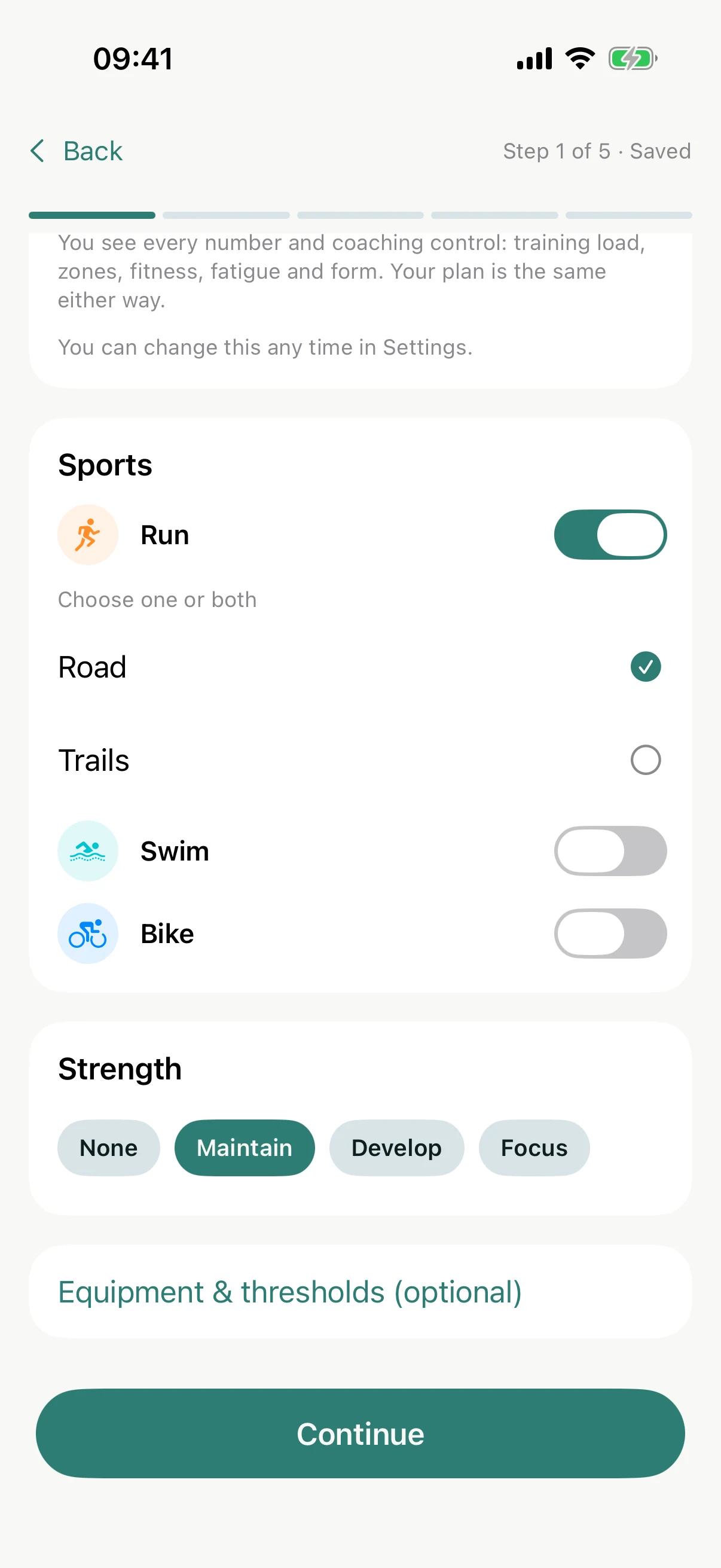
 You can change everything later in Settings.
Step 2 of 5
Your week
How many hours can you give? Weida plans around the answer, not the other way round.
Set your weekly ceiling. It is a maximum, never a target you must hit.
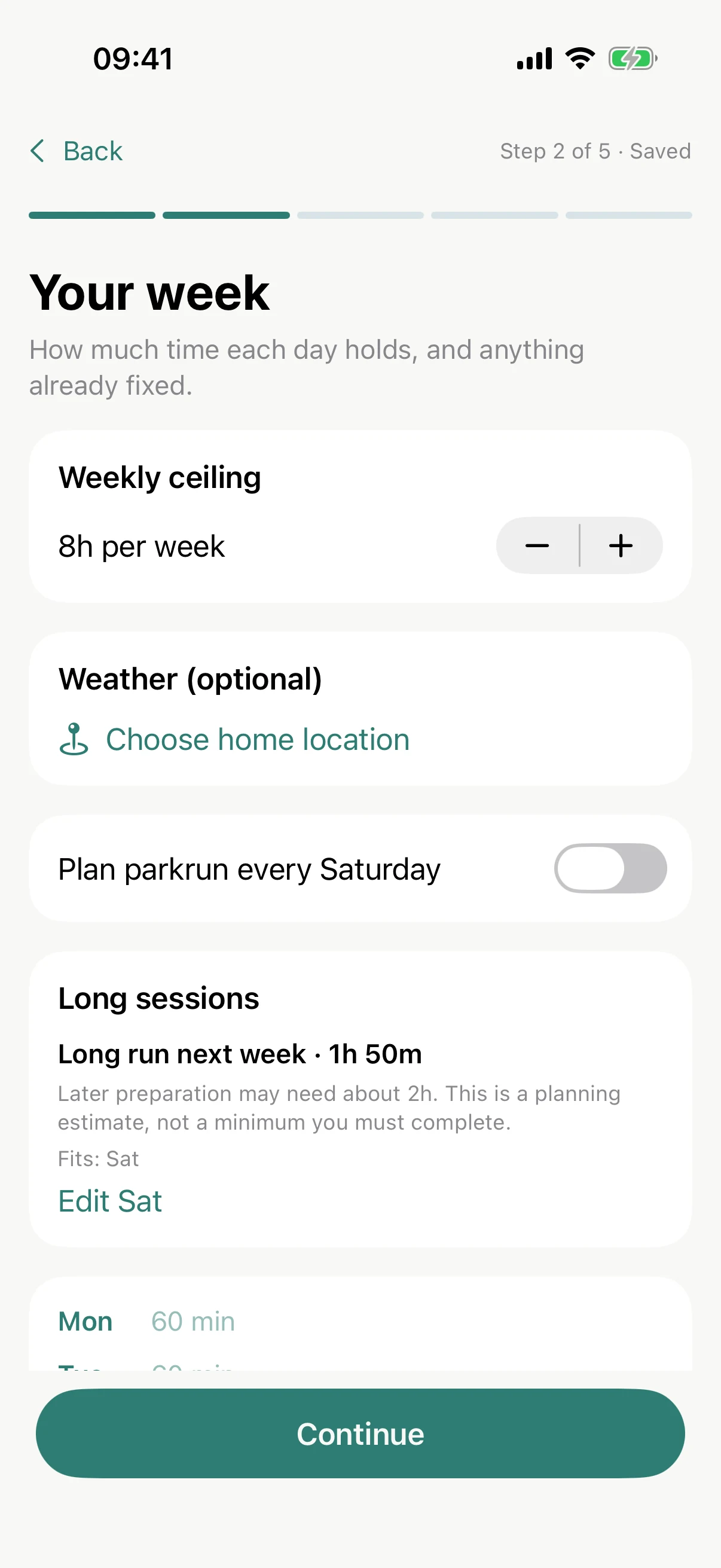
Then tap any day to set its time. Parkrun on Saturday? Tick it and Weida plans around it.
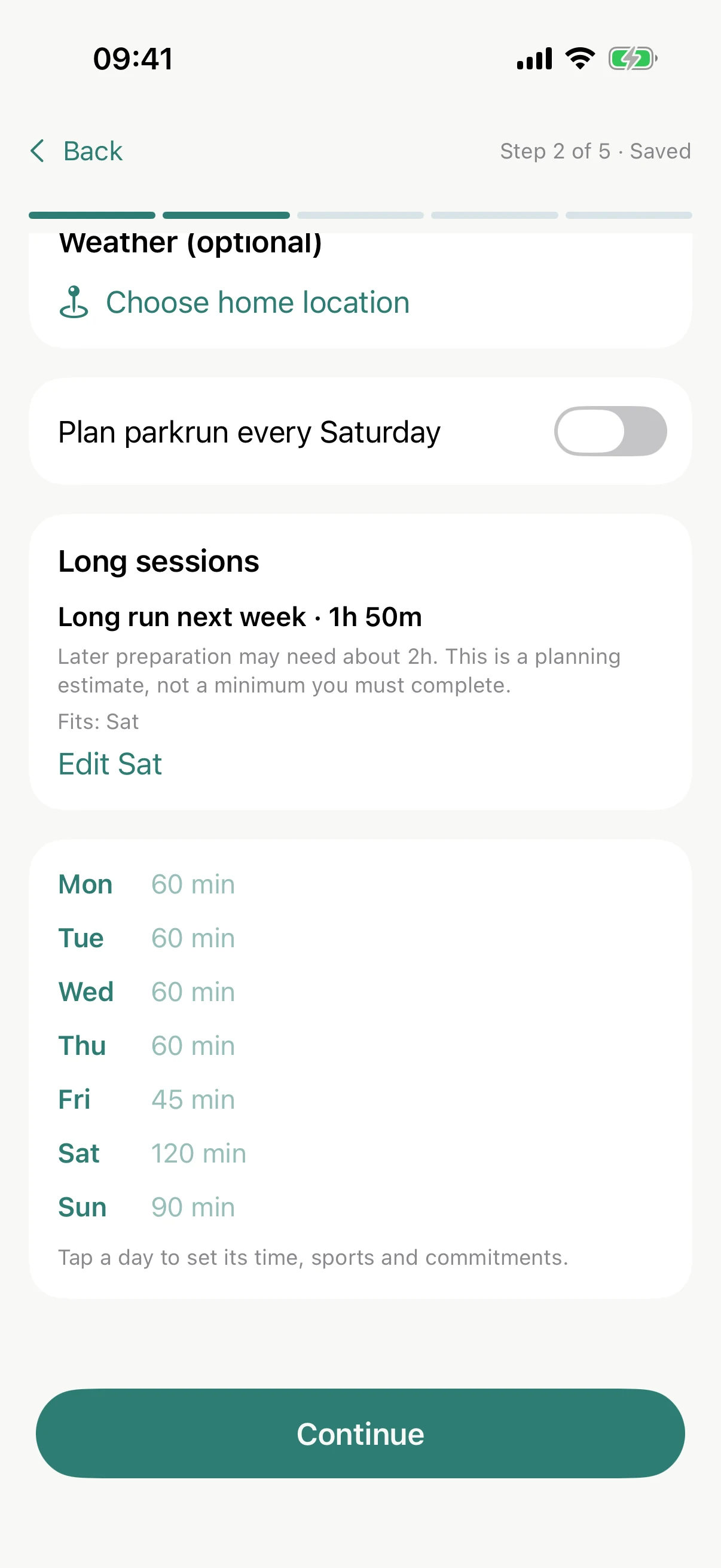
Swim squad on Thursday? Mark a fixed commitment or club session and it stays, full length, whatever the plan.
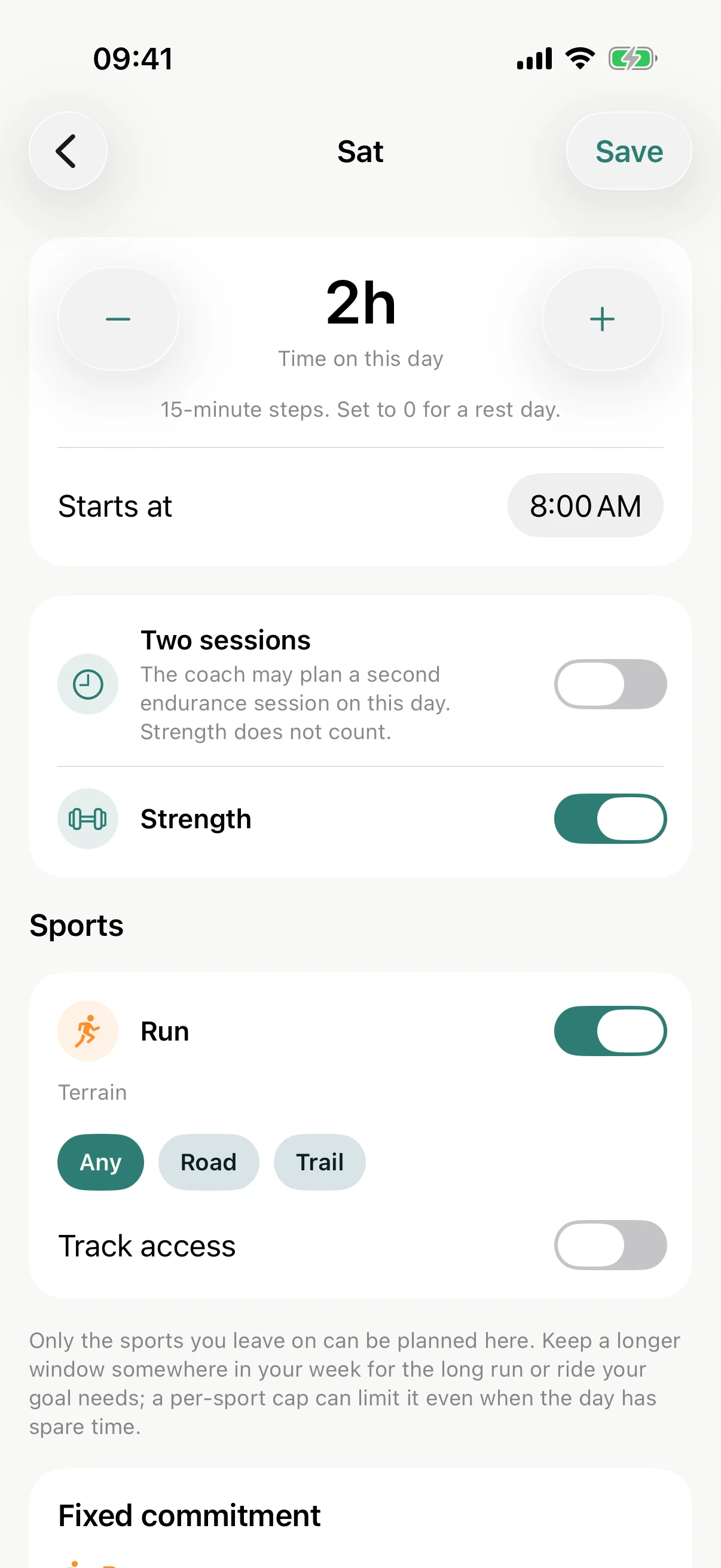
Keep a longer window somewhere for your long run or ride.
Step 3 of 5
Your goal
Something to aim for, or simply a direction.
Add a goal race with a date, or choose a focus: perform better, build endurance, stay active or return to training.
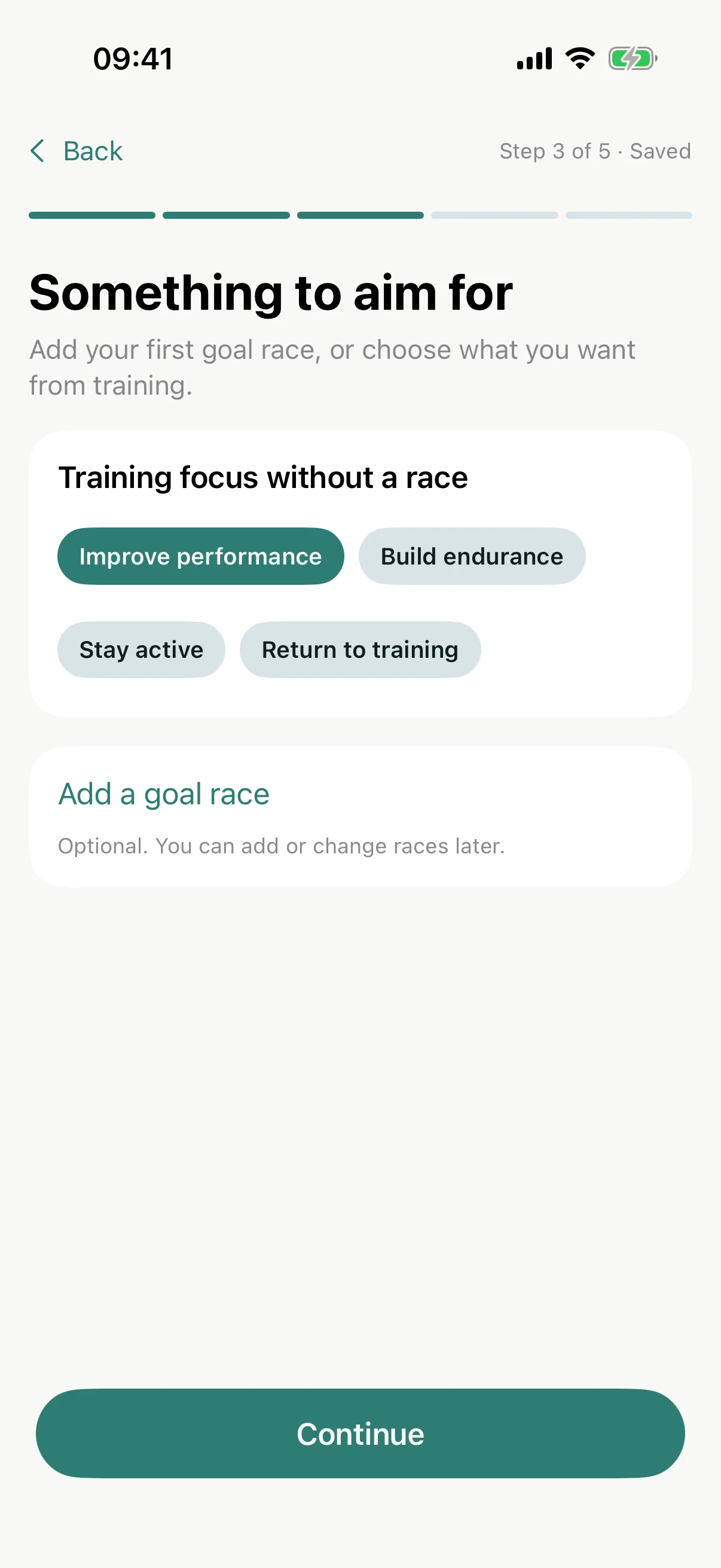
A-race, B-race or just for fun: the priority decides how the season is shaped around it.
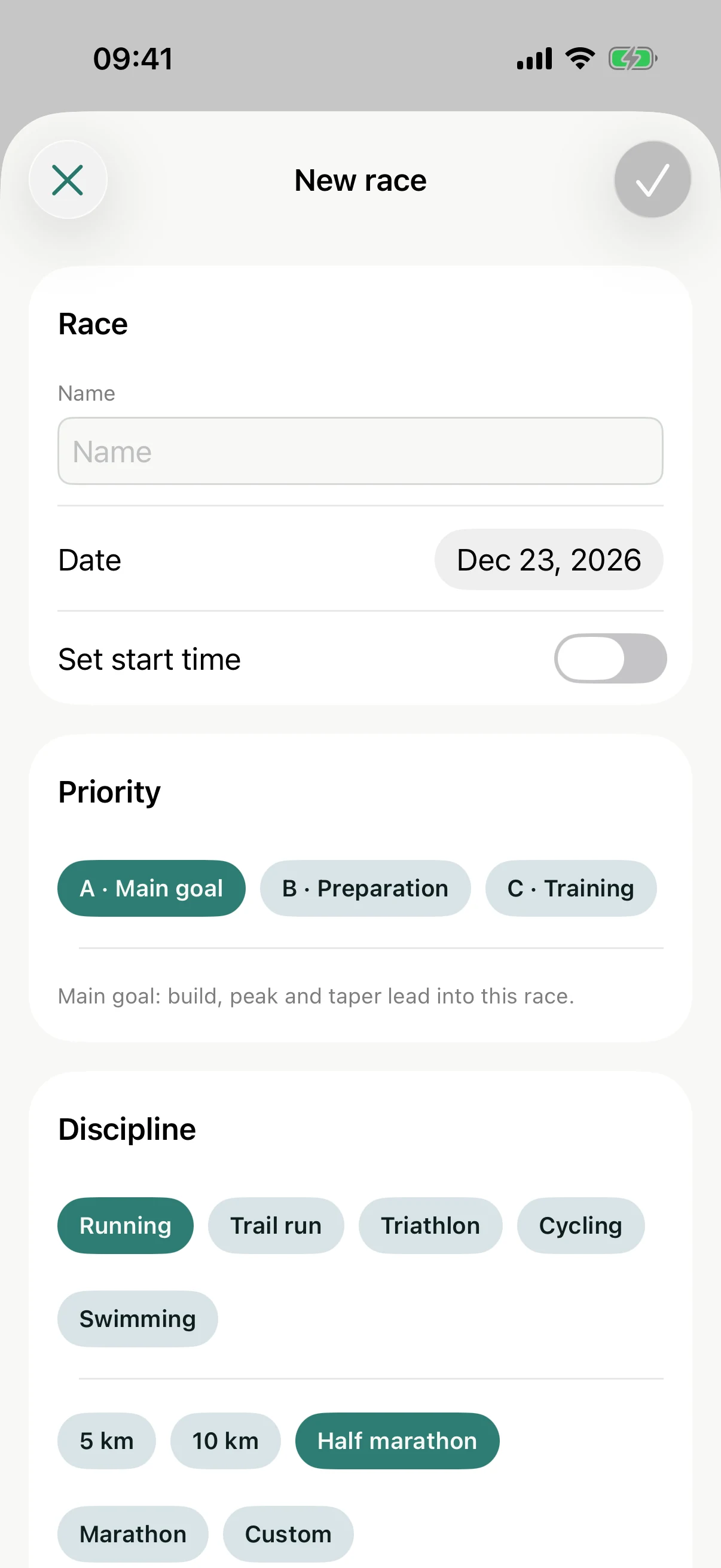
Optional. Add or change races any time.
Step 4 of 5
Your training
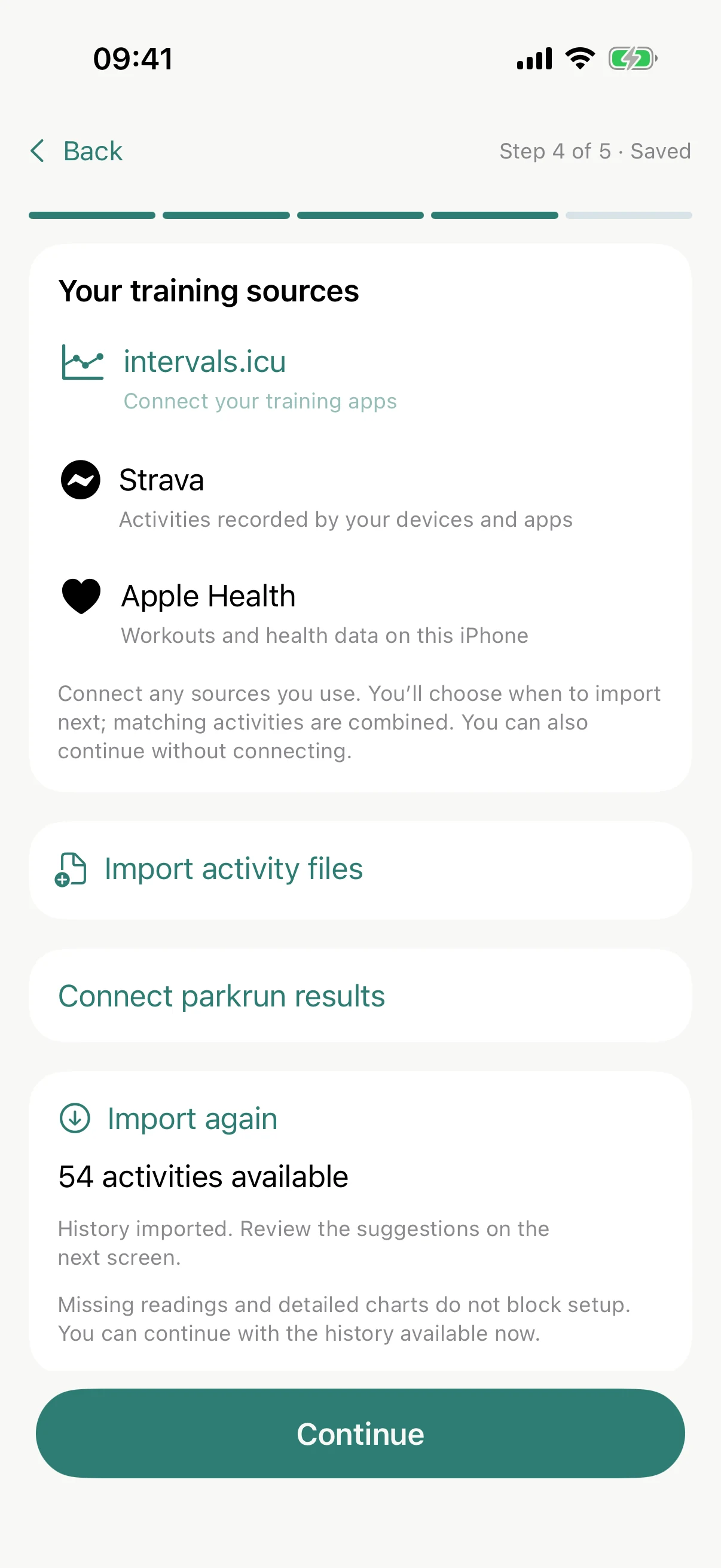
Bring in your last 90 days so Weida knows where you start.
Start with Apple Health. iOS only asks once, so switch on what you are happy to share. Garmin, Zwift and Strava all write to Health.
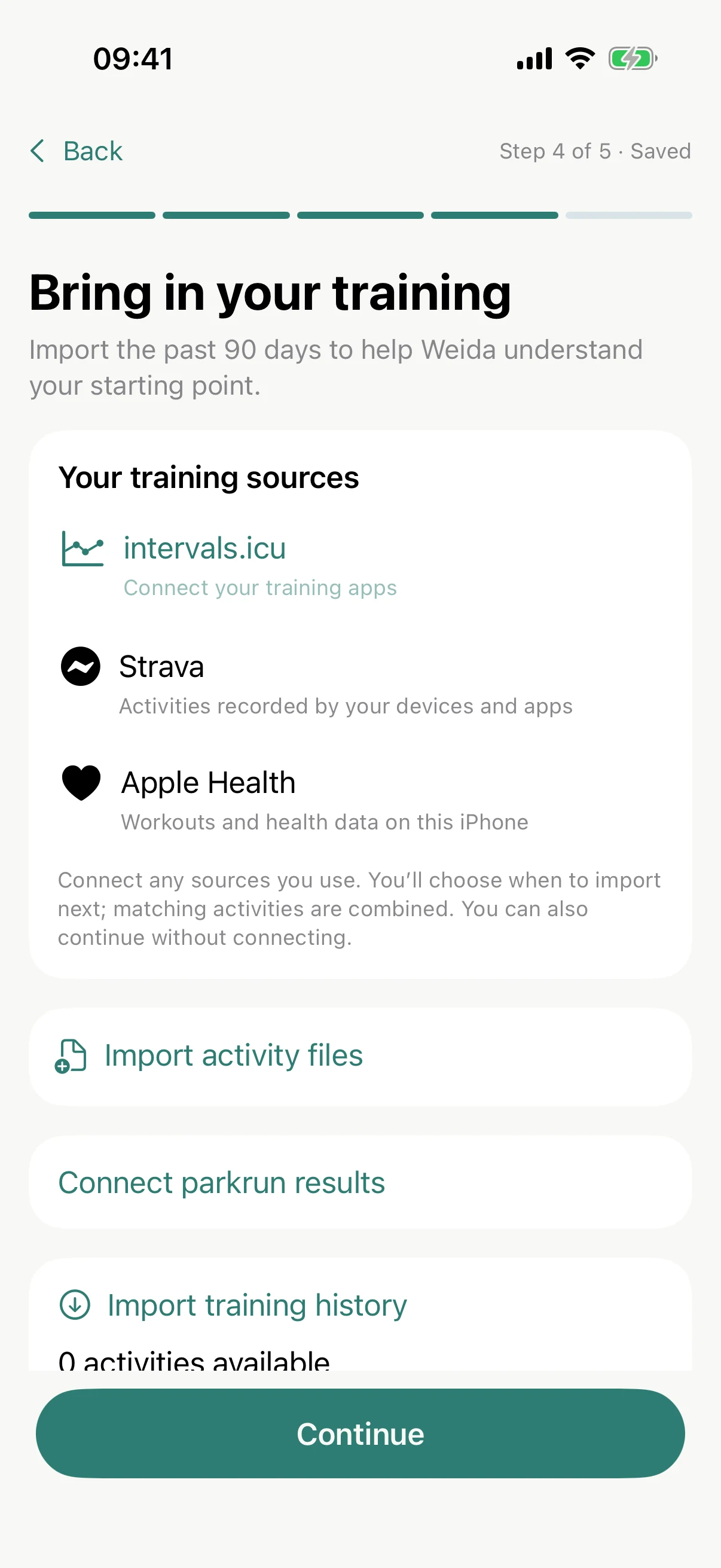
Then the clever part: intervals.icu. Link your Garmin, Wahoo or Zwift there once and everything flows both ways: planned workouts to your wrist, finished activities back.
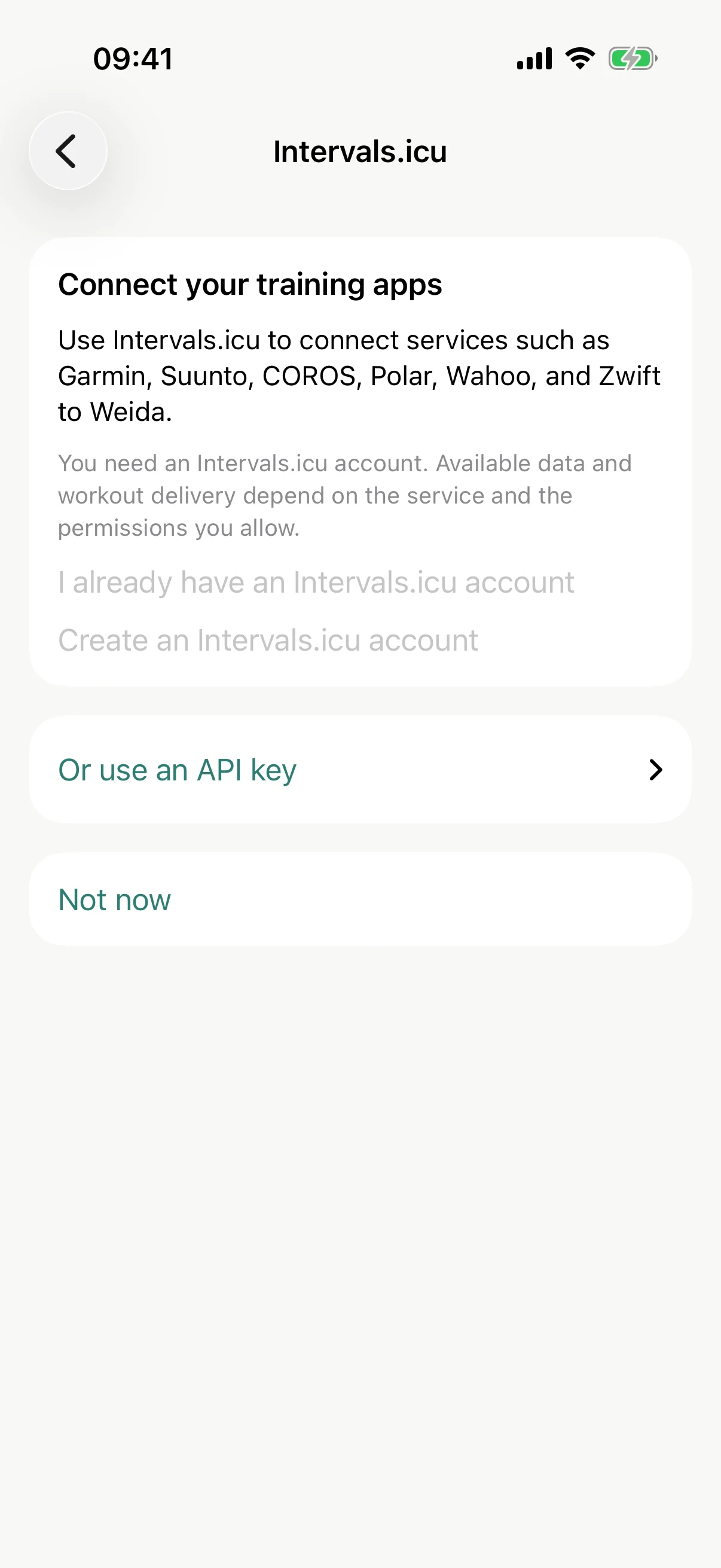
Weida imports your last ninety days and merges duplicates. No watch? Apple Health alone works fine.
 Weida
Weida intervals.icu
 Garmin · Wahoo · Zwift · COROS
Skip any connection. You can add it later.
Step 5 of 5
Your first week
A plan is only as good as its numbers, so take a look.
Check the suggested thresholds and your training baseline. Weida offers, you decide.
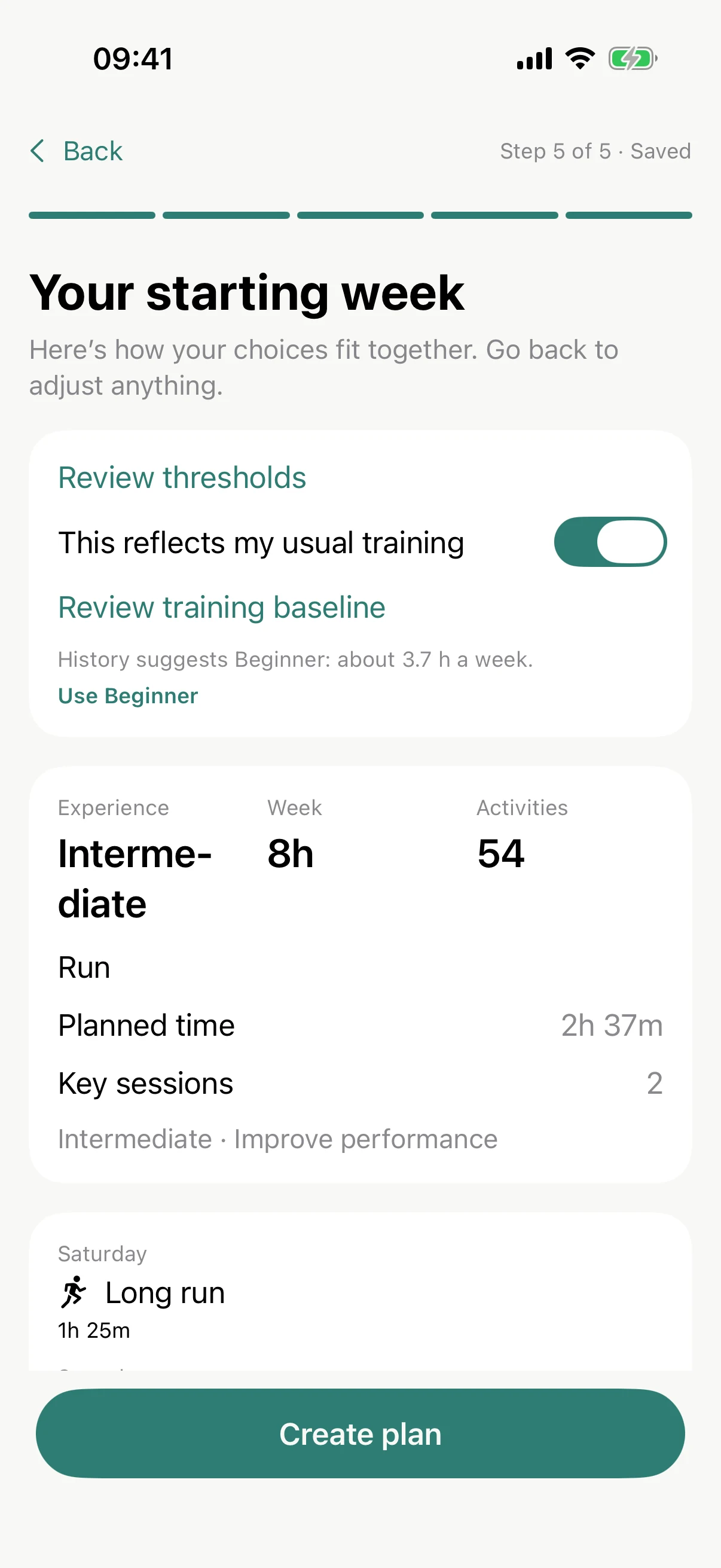
Tap Create plan. Hard days stay apart. Easy days stay easy.
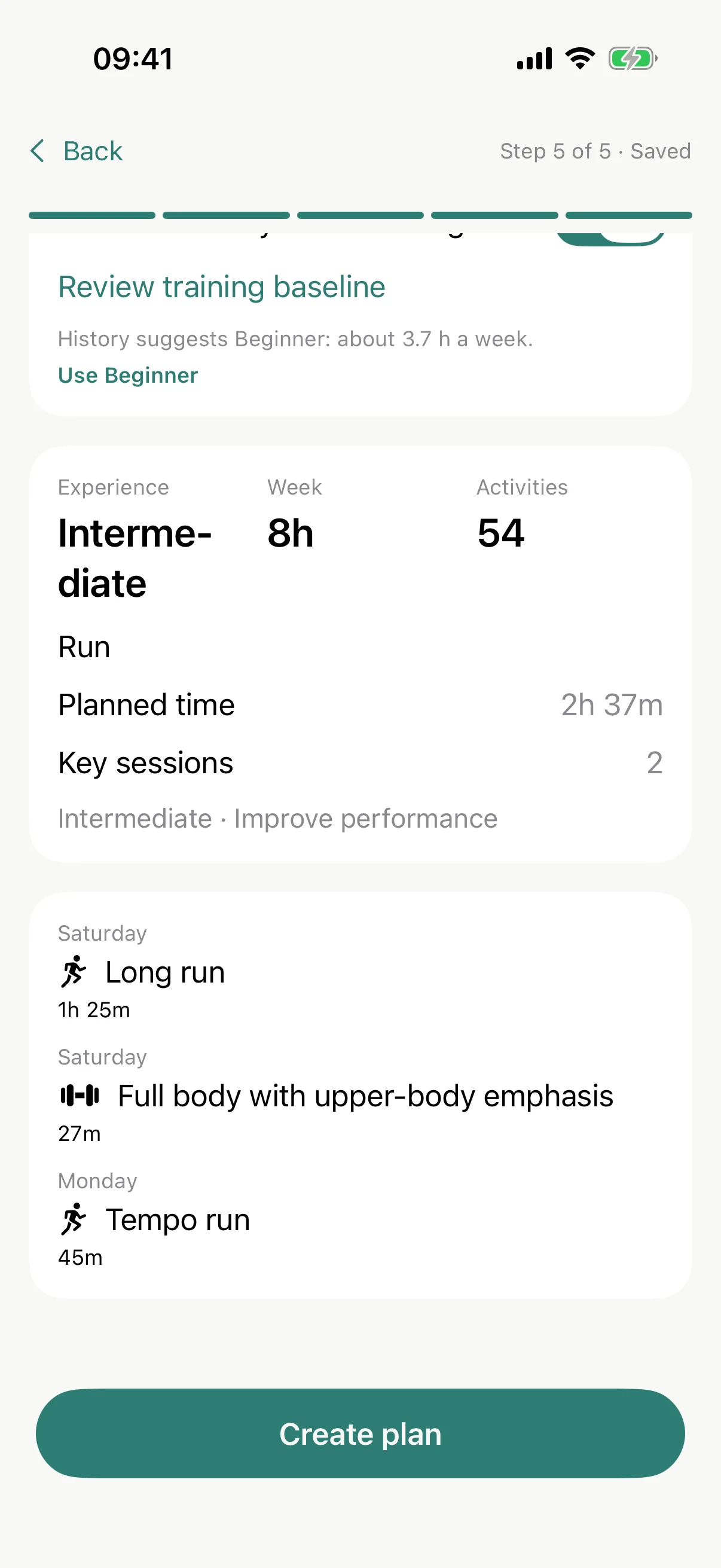
Nothing is locked in. Change anything, any time.
After setup
Your first session
Something came up? That is what Adjust is for.
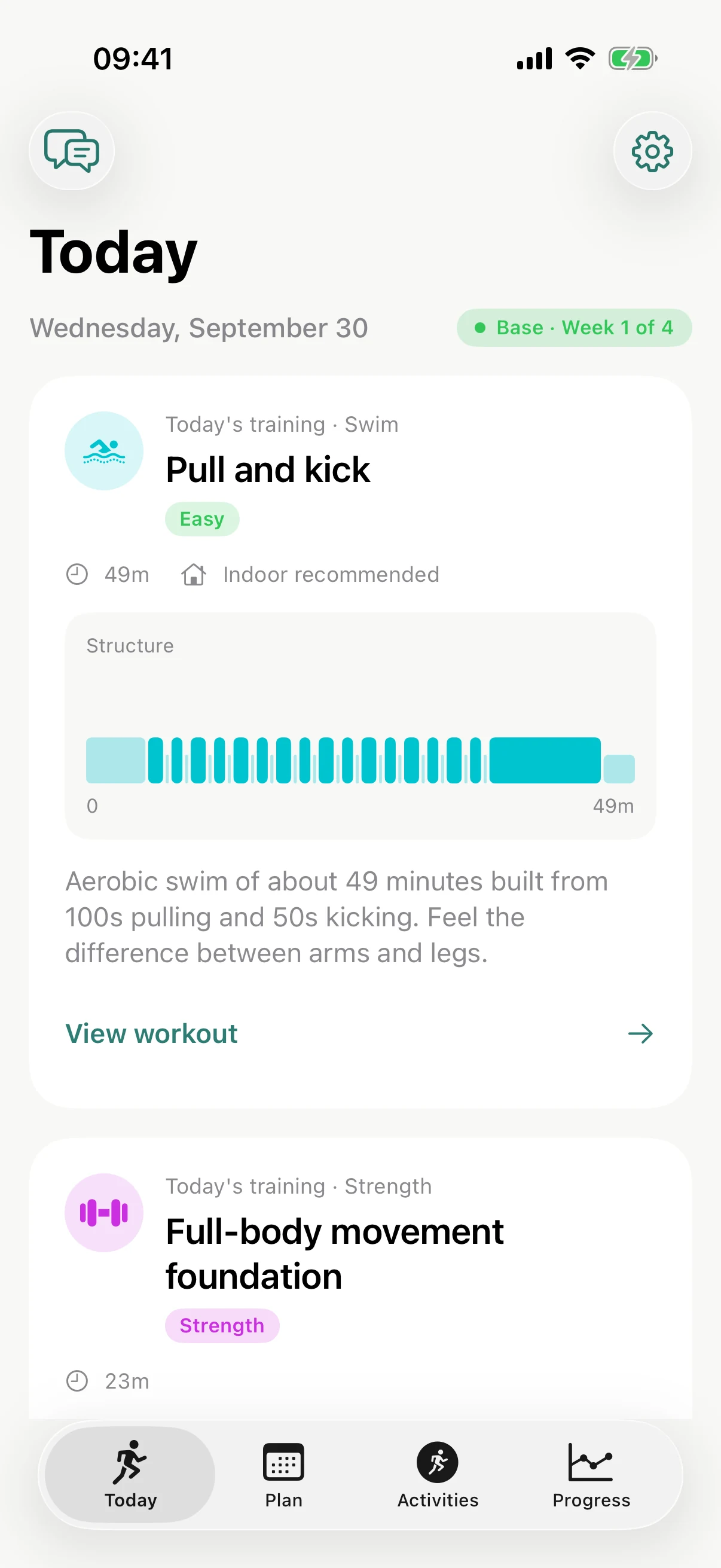
Today shows what is planned. Tap View workout to see the steps and why the session is there.
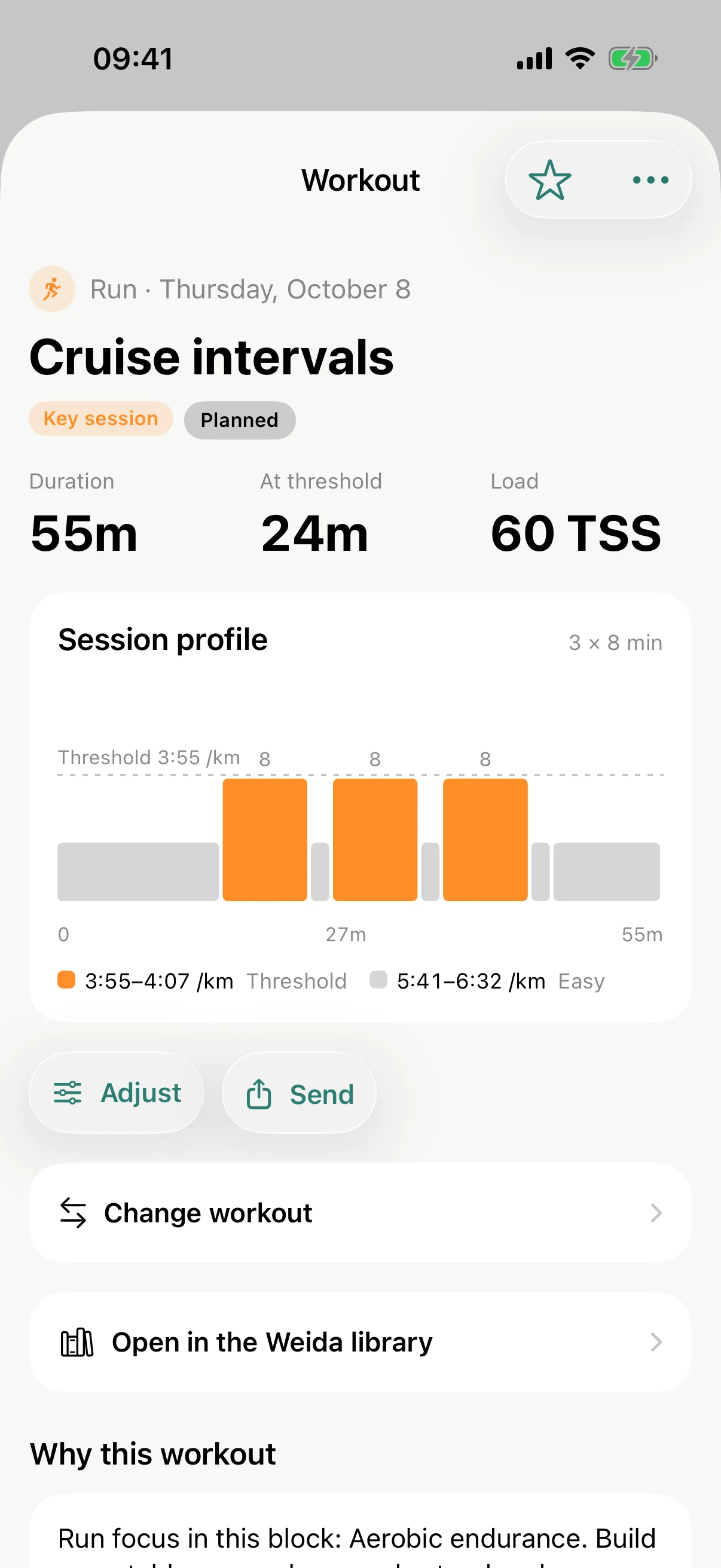
Tap Adjust to change the time, the place or the kit.
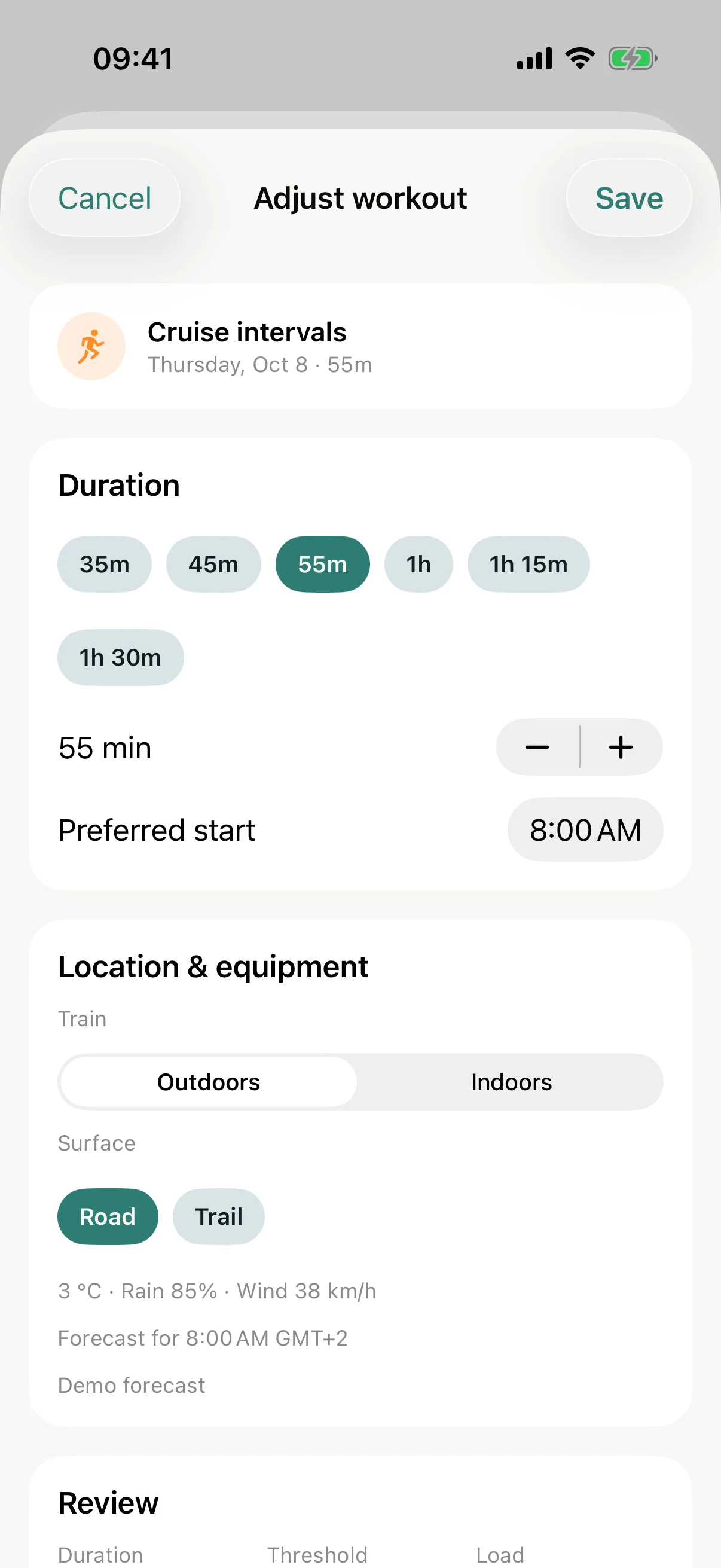
Pick 35 minutes, review the result, then save. Weida rebalances the week around it.
Or skip the sheet and tell your coach: “I only have 35 minutes today.” It proposes a change, you look at it, then press Apply.
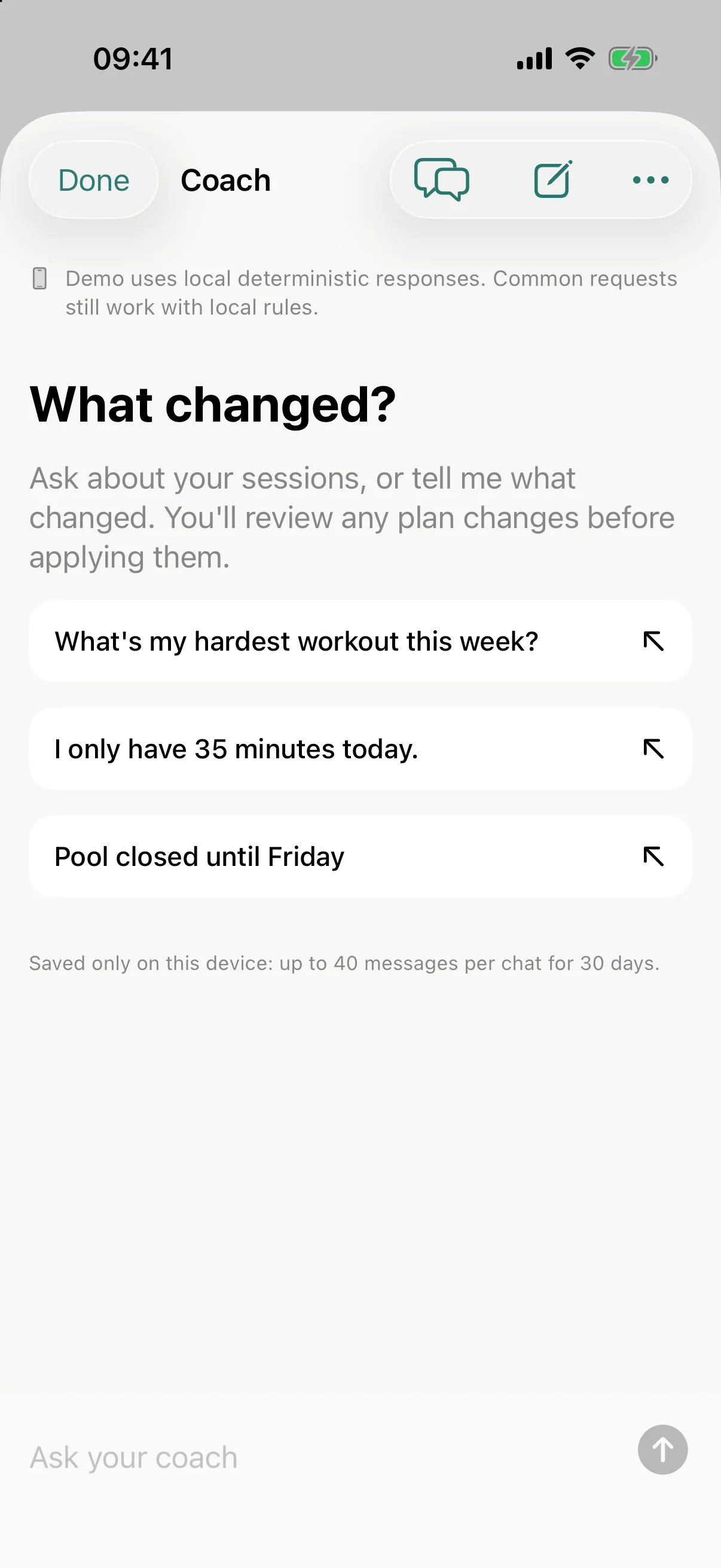
Or just tell your coach: “I only have 35 minutes today.”
After setup
Make it yours
A few switches that turn Weida into your Weida.
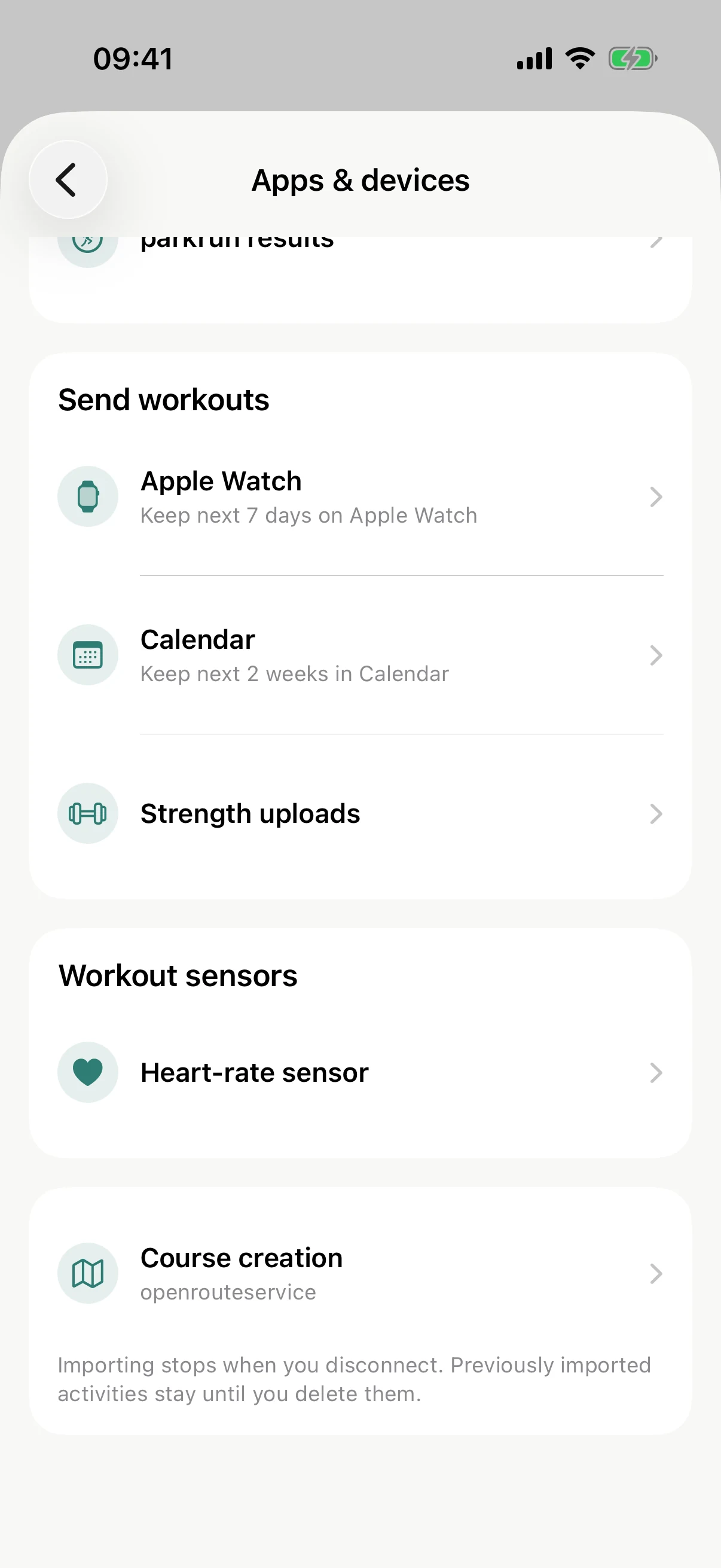
Turn on delivery and your coming sessions land on your watch and in your calendar by themselves.
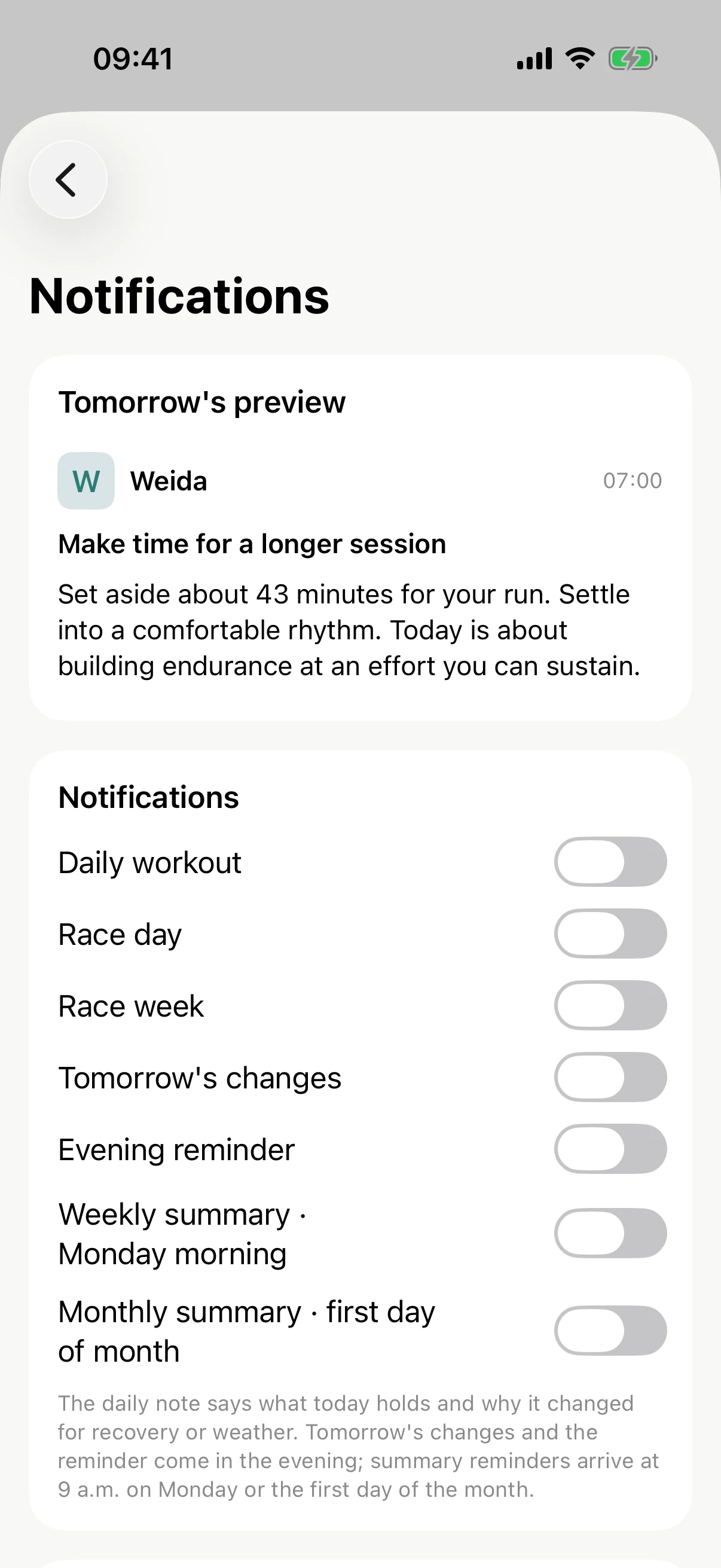
Add reminders if you like being nudged, in plain language.
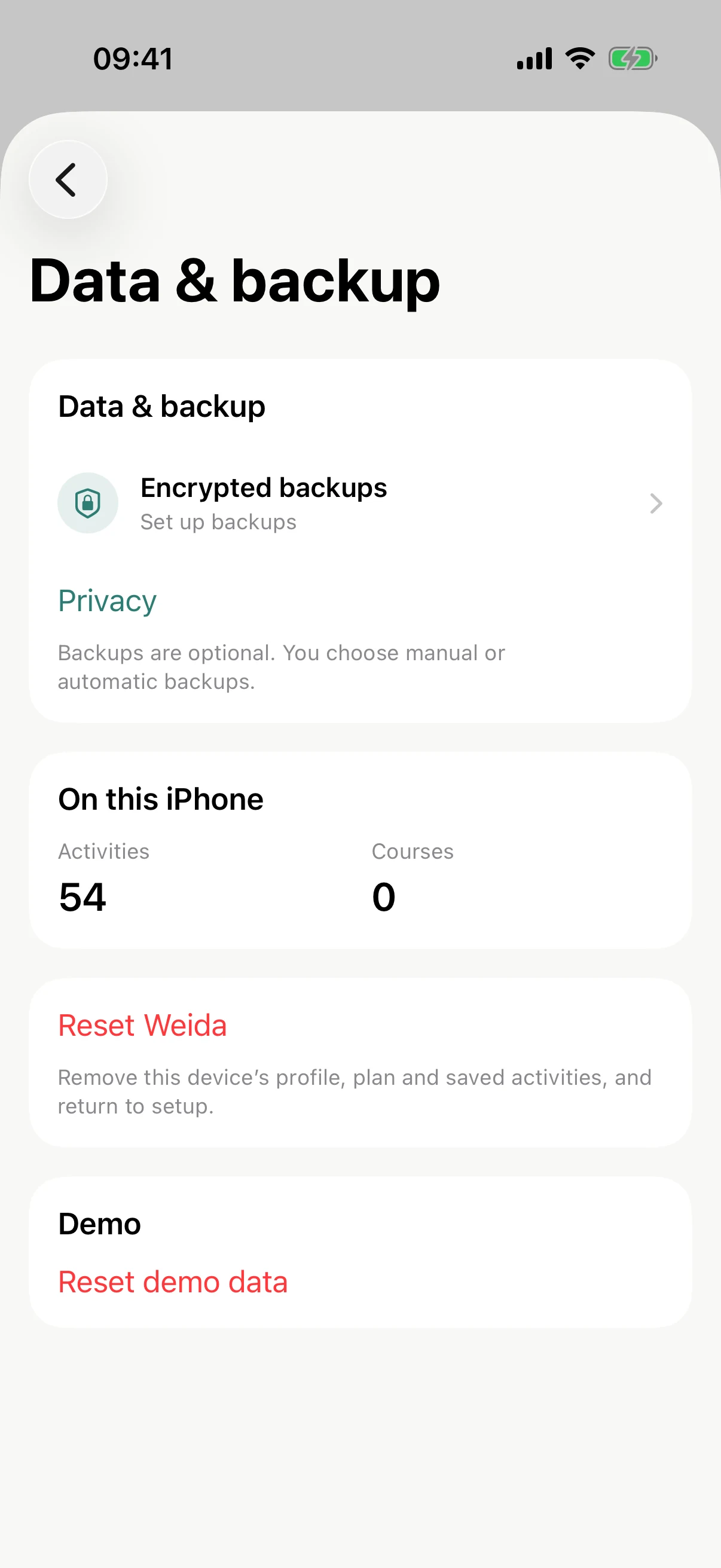
Set up an encrypted backup to a folder you choose. Off until you say so.
That is it. Ten minutes, and Weida knows you.

Little questions
Do I have to connect anything?
No. You can skip every connection and still get a full plan. Connections just make your history and your watch part of it.
What if I pick the wrong thing?
Everything in setup can be changed later in Settings, and your progress is saved so you can come back.
Why intervals.icu?
It is the crossroads. Link your watch brand there once, and planned workouts reach your wrist with paces and watts already set, while finished activities come back with map and heart rate.
Is my data leaving my phone?
Your plan is calculated on your iPhone. Nothing leaves it until you enable a connection, and each connection is separate.